Scanner Comparison
620XR VE vs ARGO 640
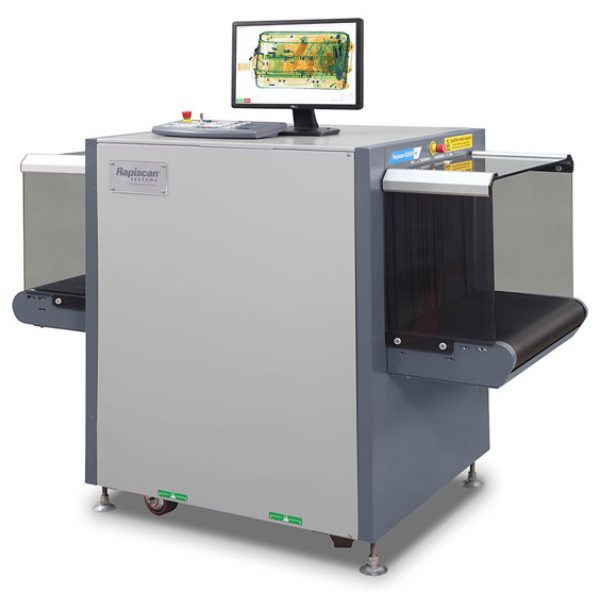
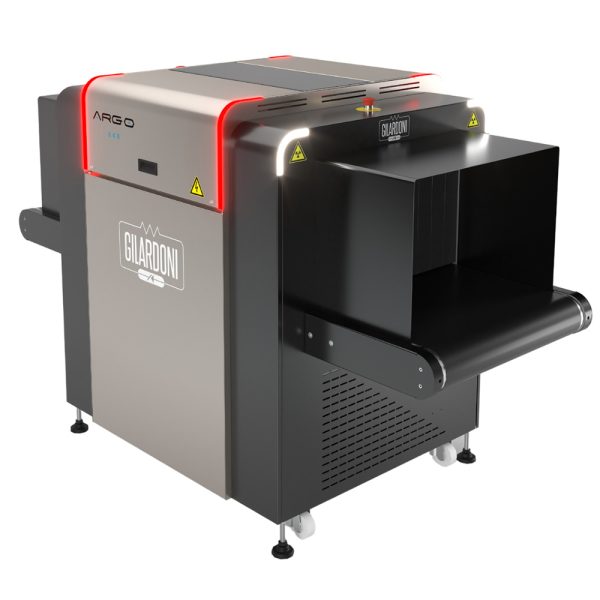
| Spec | Rapiscan 620XR VE | Gilardoni ARGO 640 |
|---|---|---|
| Tunnel | ||
| Tunnel Width (mm) | 620 | 620 |
| Tunnel Height (mm) | 420 | 420 |
| Conveyor | ||
| Conveyor Height (mm) | 668 | 712.5 |
| Conveyor Speed (m/s) | 0.20 | 0.3 |
| Load Capacity (kg) | 165 | 205 |
| Generator | ||
| X-ray Voltage (kV) | 140 | 160 |
| X-ray Current (mA) | N/A | 0.5 |
| Generator(s) | 1 | 1 |
| Cooling Type | Sealed oil bath with forced air | Oil bath and air |
| Imaging | ||
| View(s) | Single | Single |
| Performance | ||
| Wire Resolution (mm) | 41 | 42 |
| Steel Penetration (mm) | 30 | 40 |
| Mechanical | ||
| Footprint (L×W×H) (mm) | 1643 x 818 x 1195 | 2024 x 889 x 1277.5 |
| Weight (kg) | 373 | 370 |
| Electrical | ||
| Power | 115/230 VAC ±10%, 60/50Hz | 230 Vac ± 10% 50/60 Hz, 1 kW (max) |
| Software | ||
| Software / OS | Windows OS | Linux |
| Options | ||
| Options | Density Threshold Alert (DTA), Threat Image Projection (TIP), Automatic Image Archiving, Operator Training Program (OTP), Foot-mat, Power Conditioner, Rollerbed Accessories, Dual Monitor Kit | • Rulliere modulari / Modular rollers • TIP software • ADS - Automatic Detection Sofware • Multiplexing – Remote multi image analysis • Netserver – Equipment management system • Stand alone solution (see dedicated datasheet) • UPS • Alimentazione / Power supply 110 Vac - 50/60 Hz • Console |
| Features | 620XR VE | ARGO 640 |
|---|---|---|
| Features | Multi Energy Imaging (4 Color) View Previous/Next Bag Image Archive Configurable Image Processing Keys Baggage Counter Date / Time Display Search Indicator Flat Panel Monitor Crystal Clear™ SINERGY™ Black and White Organic / Inorganic Stripping Inverse Video High Penetration Low Penetration Pseudo Color Variable Edge Enhancement Variable Color Stripping Variable Gamma Variable Density Dynamic Continuous Zoom & Panning Fixed Zoom (64x) |
BEST image function Scrolling or pop-up image Higher steel penetration Variable conveyor speed Lowest weight in the market Design for prompt maintenance Multiplexing ready Tray Return System compatible |
Want to compare against other scanners too?
This page compares exactly these two models. Open the full tool to compare up to 5, save results, and more.
Open X-Compare